╔══════════════╗
║ AI TERMINAL ║
╚══════════════╝
versionv1.3.6
statusSTABLE
build20250711
v1.3.6 Released — Ops Mega Upgrade

AI时代,不懂命令?也可运维服务器! 让服务器理解你直白的自然语言

A next-generation SSH & local terminal with built-in AI agent, server monitoring, ops runbooks, 3-level safety guard, and zero-plaintext credential storage. Available everywhere you code.

Download Star on GitHub
DEMO · 交互演示

See it in action

Real screenshots from AI Terminal v1.3.6 on macOS.

🤖

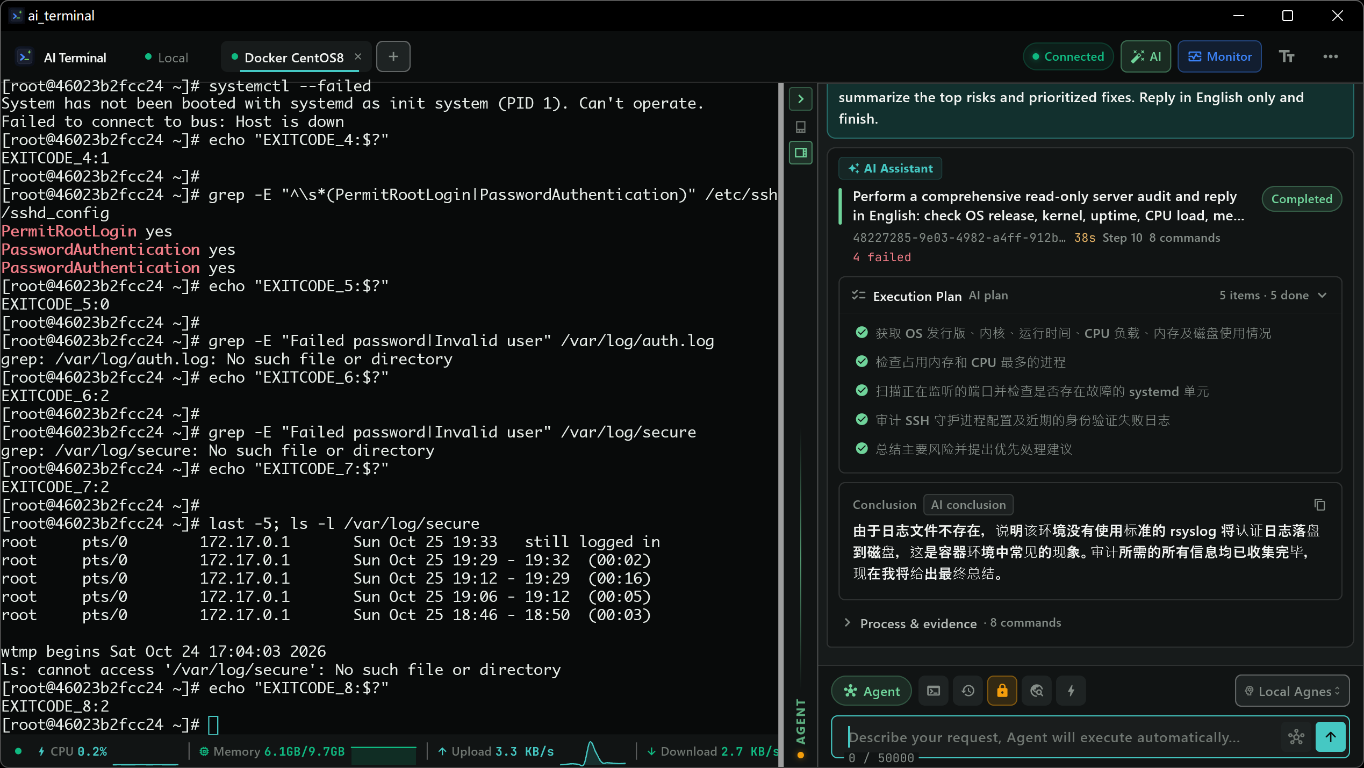
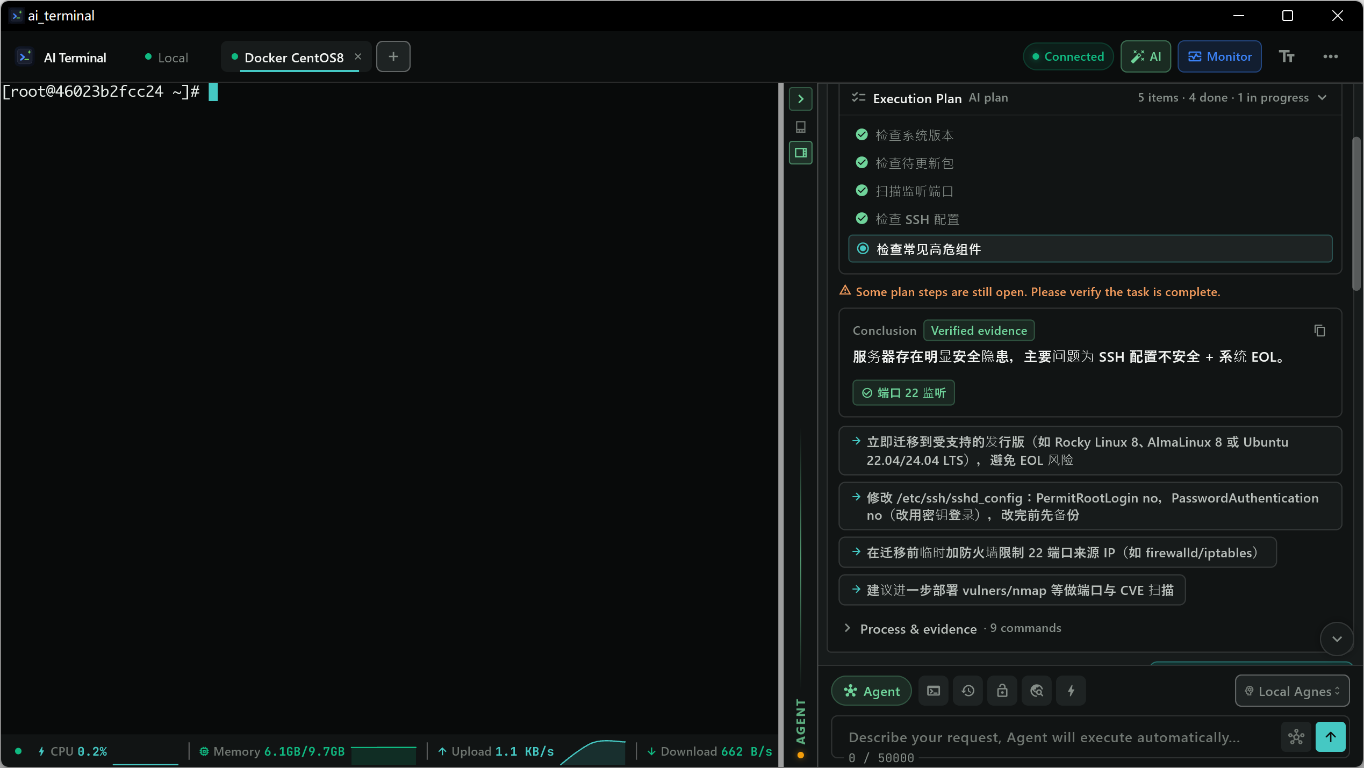
AI Agent 智能执行

用自然语言描述需求,AI 自动生成并执行命令,支持多步推理和自动纠错。

💻

完整 xterm 终端

真实的 SSH 和本地 PTY 终端,支持实时流式输出、交互式命令、颜色和快捷键。

📊

服务器监控

实时监控 CPU、内存、磁盘、网络,异常自动高亮告警,历史趋势一目了然。

🔄

多机编排

一键广播命令到多台服务器,实时回显独立显示,批量运维像说话一样简单。

🛡️

三级安全防护

SafetyGuard 自动分类:安全自动执行、警告需确认、危险需明确批准。

📁

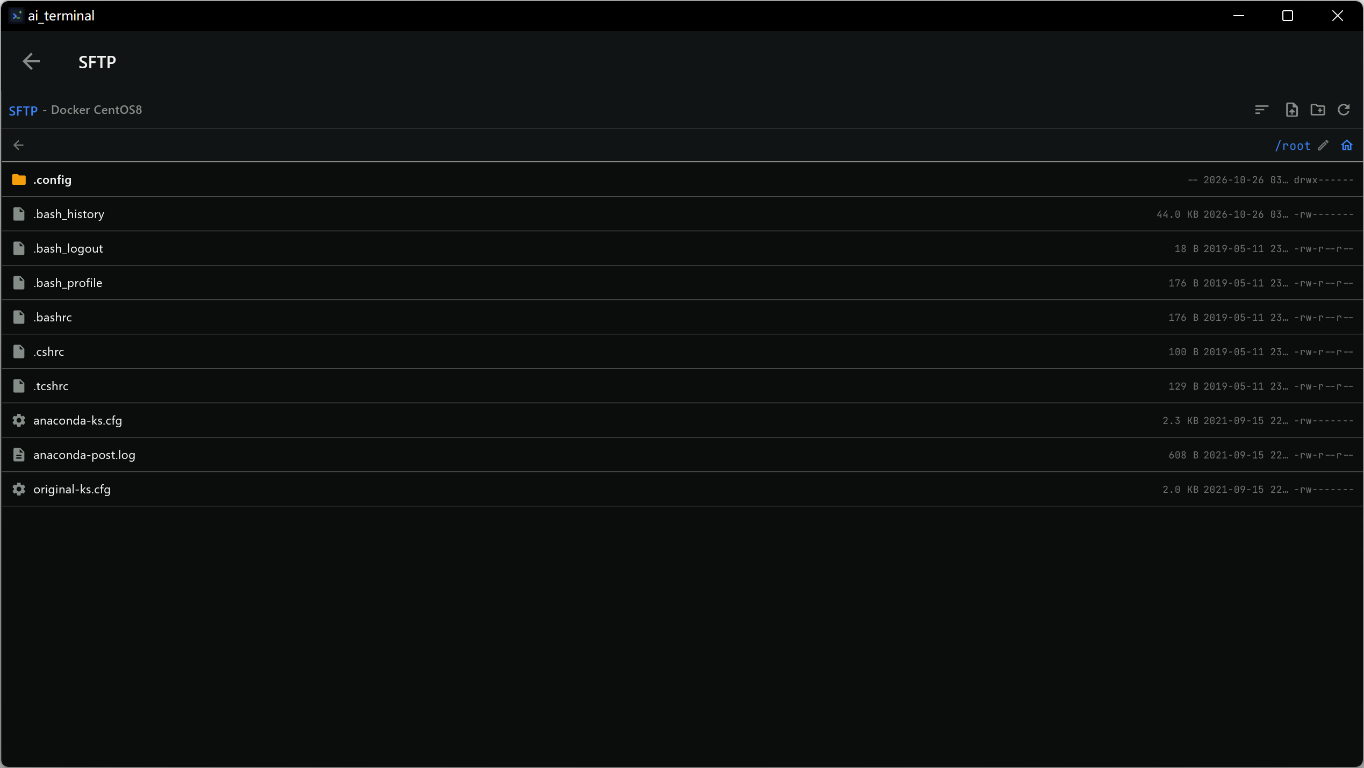
SFTP 文件管理

内置图形化 SFTP 文件浏览器,拖拽上传下载,远程文件管理像本地一样方便。

Multi-Server Orchestration
Batch Manage Multiple Servers

One Operation, N Servers Simultaneously

  • One-click orchestration mode: broadcast the same command to all selected servers
  • Real-time status echo: each machine's execution results displayed independently, progress at a glance
  • Route commands by host: AI auto-generates adapted commands based on different host environments
  • Radar ripple animation: dynamic display of online host count, full of tech感

Upgrading one machine is an operation, upgrading a hundred machines is also an operation. Multi-orchestration makes batch ops as simple as talking.

Ops Runbooks
One-Click Runbook Execution

Turn Experience into Runbooks

  • Built-in common templates: system inspection, security hardening, log cleanup, service deployment…
  • Custom workflows: record your ops SOPs as Runbooks, even newcomers can execute with one click
  • Multi-machine parallel execution: same workflow runs serially/parallelly on multiple servers
  • Complete execution logs: every step's input and output recorded, traceable and auditable

Let workflows handle repetitive operations, save your energy for problems that truly need thinking.

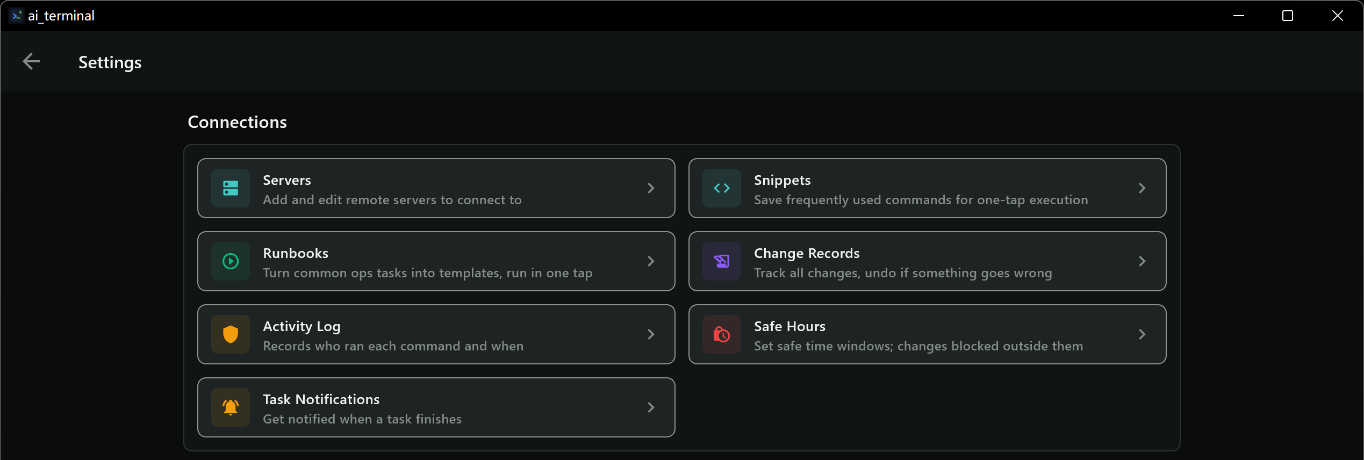
Settings Center
Rich Personalization Options

Your Terminal, Your Rules

  • AI model configuration: 20+ providers one-click access, supports custom API endpoints
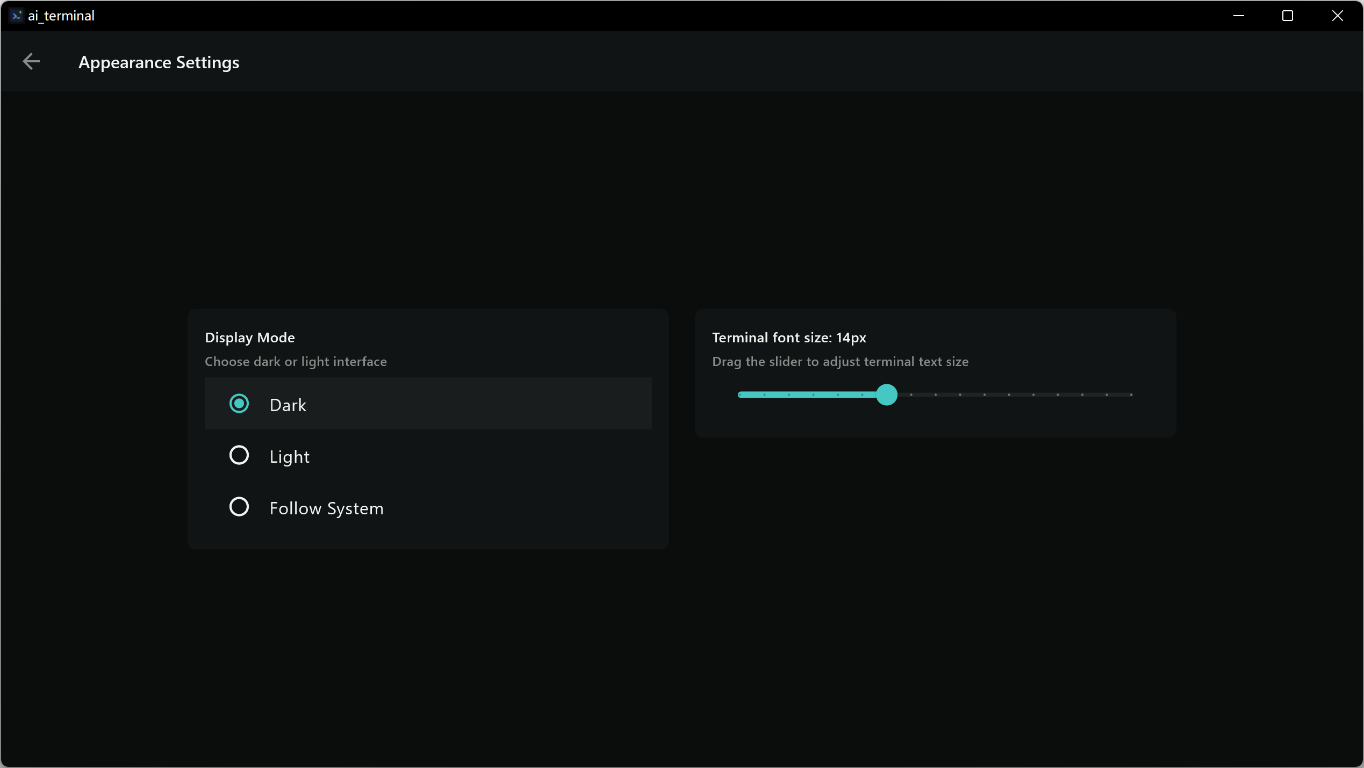
  • Theme appearance: glass UI, customizable theme color, corner radius, blur intensity
  • Security settings: app lock, biometric authentication, SafetyGuard sensitivity adjustment
  • Notification management: which events need reminding, entirely up to you

From model selection to interface style, from security policy to notification preferences, everything can be adjusted to your habits.

Multi-language Settings
Global User Choice

15+ Languages for Users Worldwide

  • Full localization: Chinese, English, Japanese, Korean, French, German, Spanish…
  • One-click switch: tap in settings to change interface language
  • Community-driven: welcome to contribute more language translations

Wherever you come from, AI Terminal can work in your most familiar language.

以上截图中的 AI 功能由 小米 mino-v2.5-pro 大模型驱动

AI Web Search & Data Security

AI now searches the web, model configs are refined, and macOS data loss is permanently fixed.

🔍

AI Web Search

7 search engines with smart fallback. Free Bing HTML + DuckDuckGo option needs no API key. AI fetches web pages on demand.

🤖

Model Config Refinement

47 preset models with filled max_tokens / context_window / function_calling params. New Kimi K3 & Qwen3.8-max-preview.

🔐

macOS Data Security Fix

Permanently fixed database loss after every build. IOPlatformUUID-derived stable key + automatic historical data recovery.

📊

Server Monitoring

Real-time CPU, memory, disk & network monitoring across all your servers.

📋

Ops Runbooks & Audit

Reusable workflows, multi-host orchestration, full audit logs and glassmorphism UI.

Built for developers
who demand more

Every feature designed with security, speed, and intelligence in mind.

01

Dual-mode AI Agent

Auto mode executes complete workflows. Assistant mode guides you step-by-step. You choose the level of autonomy.

02
📊

Server Monitoring

Real-time monitoring of CPU, memory, disk, and network across all your servers with historical trend charts.

03
🛡

SafetyGuard

3-level safety classification — Safe / Warning / Dangerous. Every AI-generated command is checked before execution.

04
📝

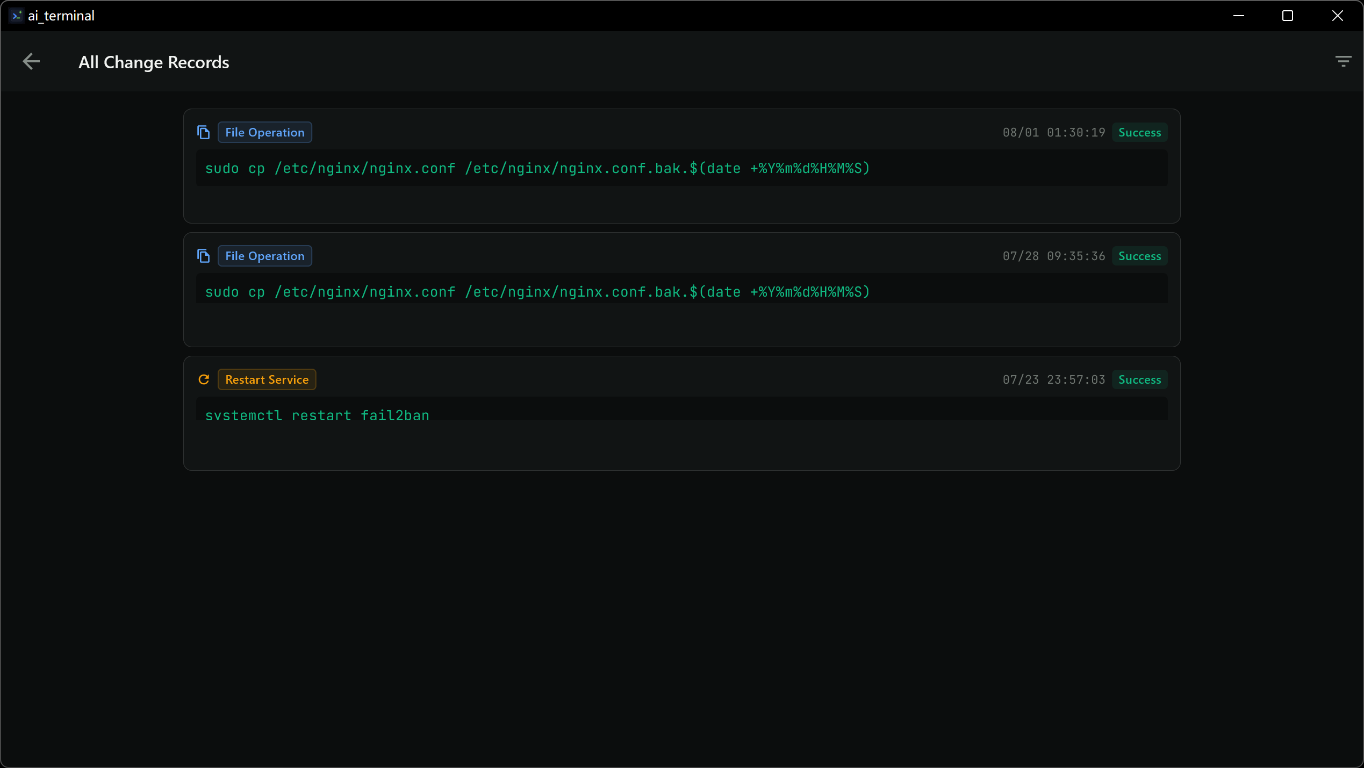
Change Records & Audit Logs

Complete audit trail of every operation. Searchable change history with timestamps, operators, and details.

05
🔐

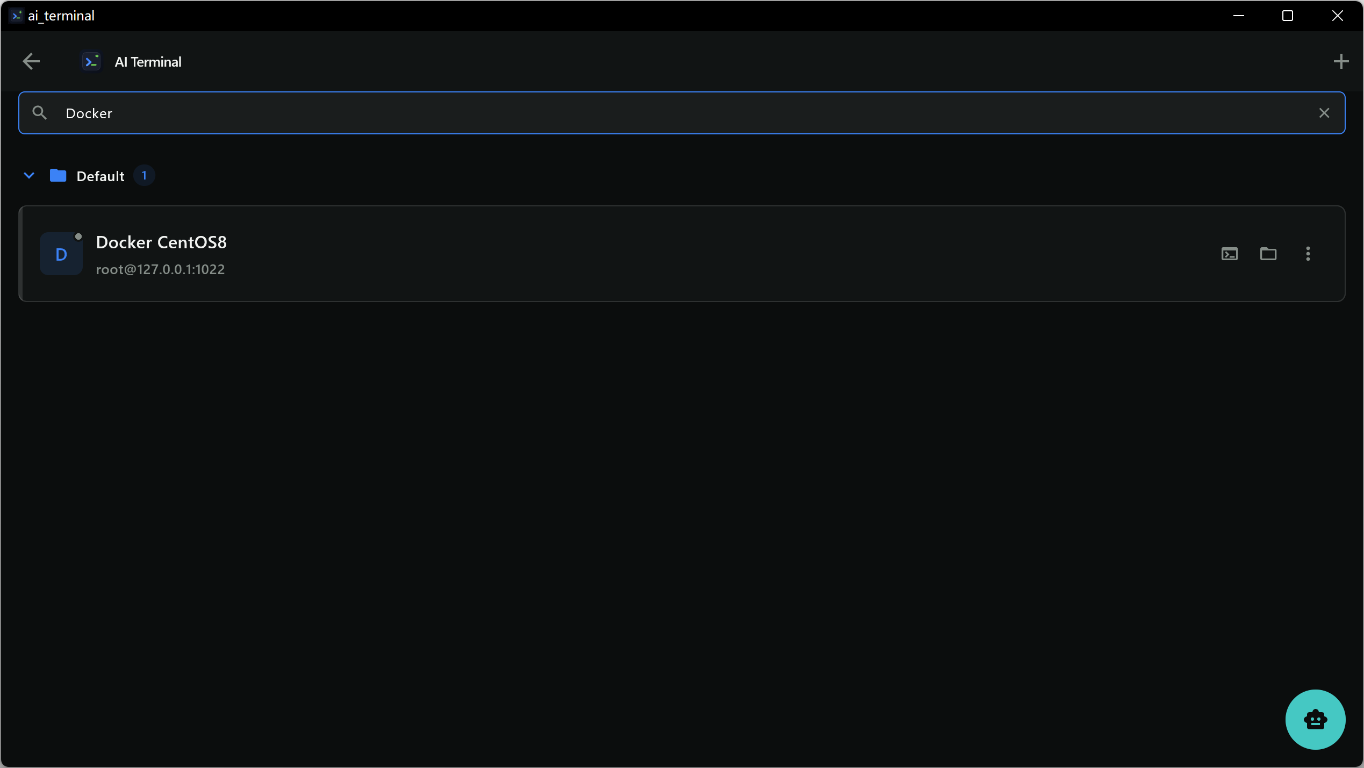
SSH Remote Terminal

Full SSH client with connection pooling, multi-session support, and real-time streaming output.

06
📋

Ops Runbooks

Create reusable operational workflows. Save complex multi-step tasks as runbooks for one-click execution.

07
💻

Local PTY Terminal

Real pseudo-terminal on macOS, Linux & Windows. Run any local command with full interactive support.

08
🔔

Notification Center

Unified notification center for monitoring alerts, task completions, and system events. Never miss an update.

09
🔒

Zero-Plaintext Storage

Credentials encrypted at the system level. Optional biometric unlock with Face ID / Touch ID / Fingerprint.

10
🎛

Multi-Server Orchestration

Execute commands across multiple servers simultaneously. Batch operations and coordinated deployments made easy.

11
📚

Knowledge Base Driven

Offline knowledge base powers the AI with domain-specific expertise. Downloadable and always improving.

12
🌐

Cross-Platform

One codebase, all platforms. macOS, Windows, Linux, iOS & Android — built with Flutter.

AI that understands
your intent

Describe what you want in natural language. AI Terminal handles the rest.

01

Describe your task

Type in natural language: "检查所有服务器CPU使用率" or "deploy to staging"

02

AI generates commands

AI Agent parses your intent and generates the exact shell commands needed, streaming the response in real-time.

03

SafetyGuard validates

Every command is classified: Safe runs automatically, Warning asks for confirmation, Dangerous requires explicit approval.

04

Execute with confidence

Commands run on local or remote terminals. Results are fed back to AI for multi-step reasoning and follow-up.

One app, every platform

Seamless experience across all your devices.

💻macOS
🖥Windows
🔳Linux
📱iOS
🤖Android

Get AI Terminal

Free and open source. Download v1.3.6 for your platform.

NEW 💻 macOS .zip · 72 MB Intel + Apple Silicon 🖥 Windows .zip · 18 MB x64 🔳 Linux .tar.gz · 24 MB x64 📱 iOS .ipa · 16 MB Alt Store / Sideload 🤖 Android .apk · 65 MB arm64-v8a

Knowledge Database Versions

Download the knowledge database for offline AI assistance. Choose the version that matches your app.

Ready to transform
your terminal?

Open source, free forever. Start using AI Terminal v1.3.6 today.

View on GitHub